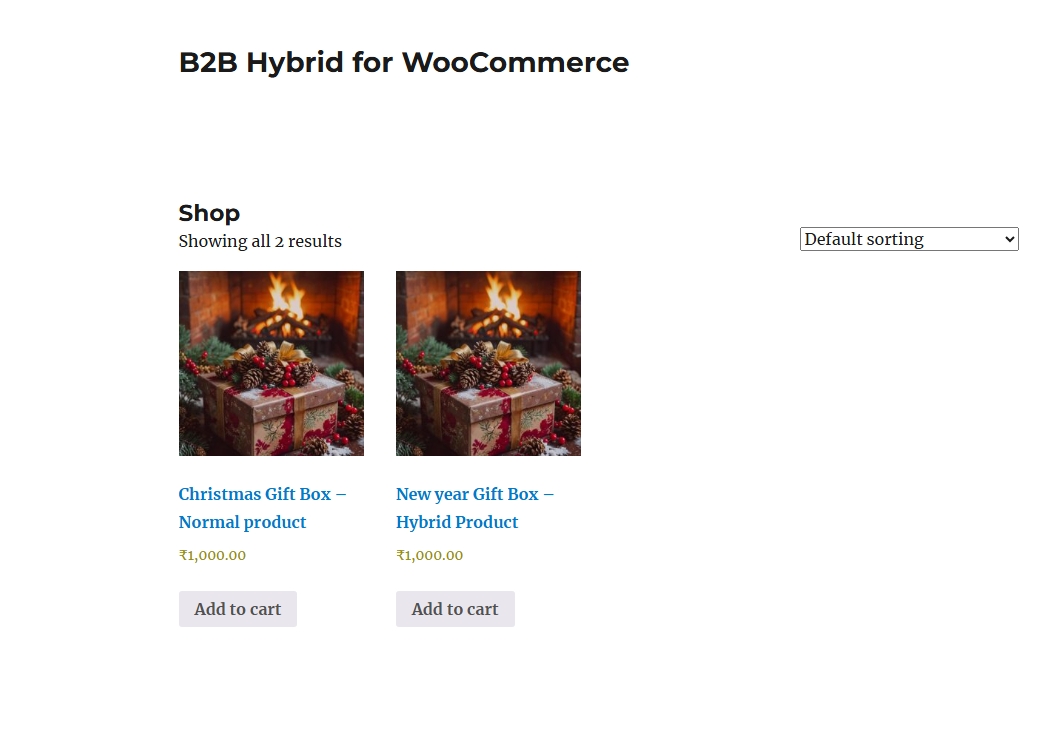
One WooCommerce store for retail customers, business buyers and headless product experiences.
MWS B2B Hybrid for WooCommerce helps businesses sell to individual customers and wholesale buyers from the same website. Offer separate prices, control purchasing quantities, manage quotation requests and decide who can access particular products—all within your existing WooCommerce store.
It also includes a protected products API, allowing developers to use WooCommerce as the catalog backend for a custom Next.js or other headless storefront.
Who can use it?
The plugin suits wholesalers, manufacturers, distributors, corporate gifting businesses and suppliers serving both individual and business customers. It is useful when different buyers need different prices, bulk-order requirements or access to selected products.
Customer and B2B registration
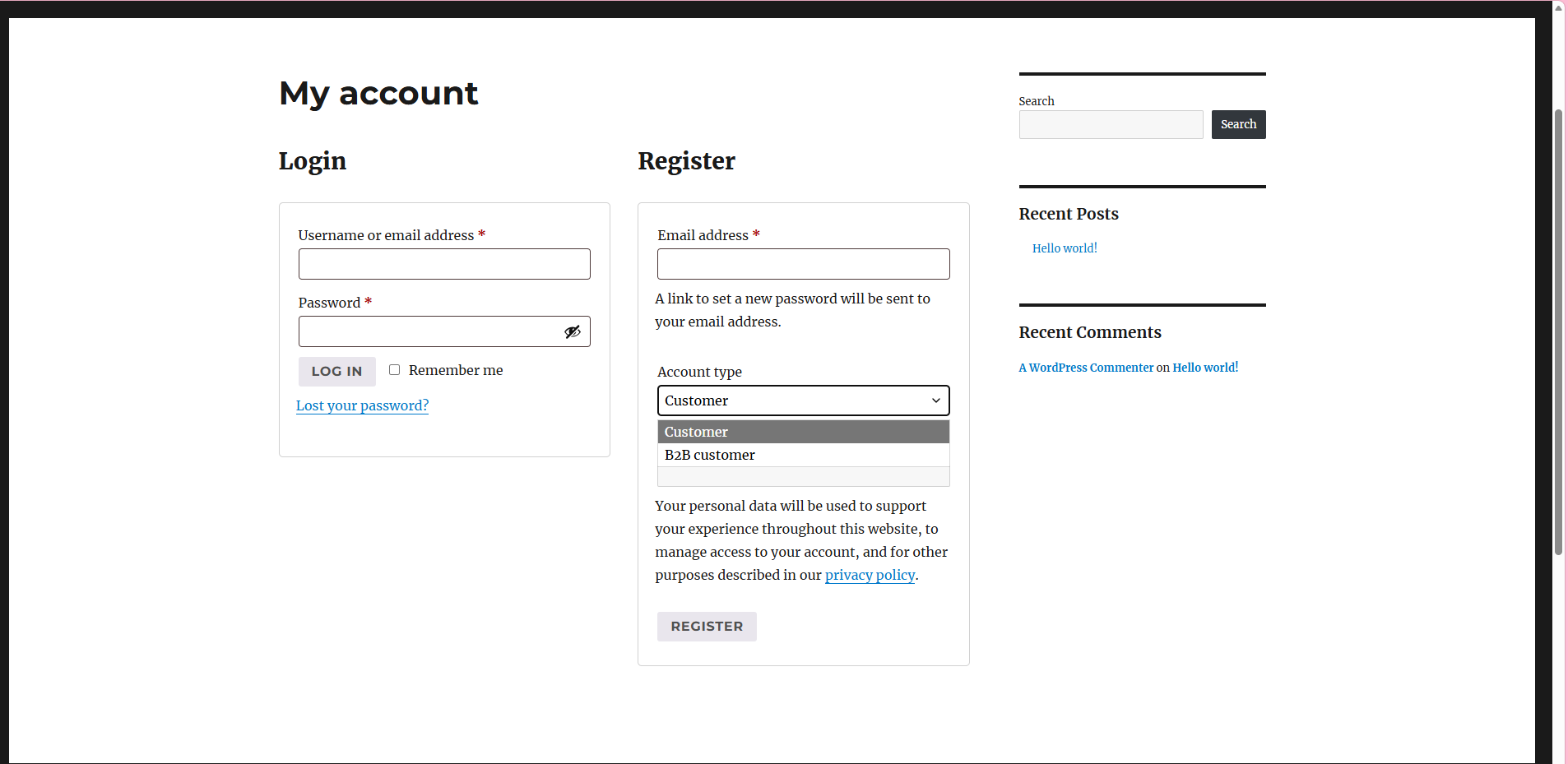
The plugin extends the default WooCommerce My Account registration form. Visitors can register as a normal customer or a B2B customer, with a company name required for business registrations.
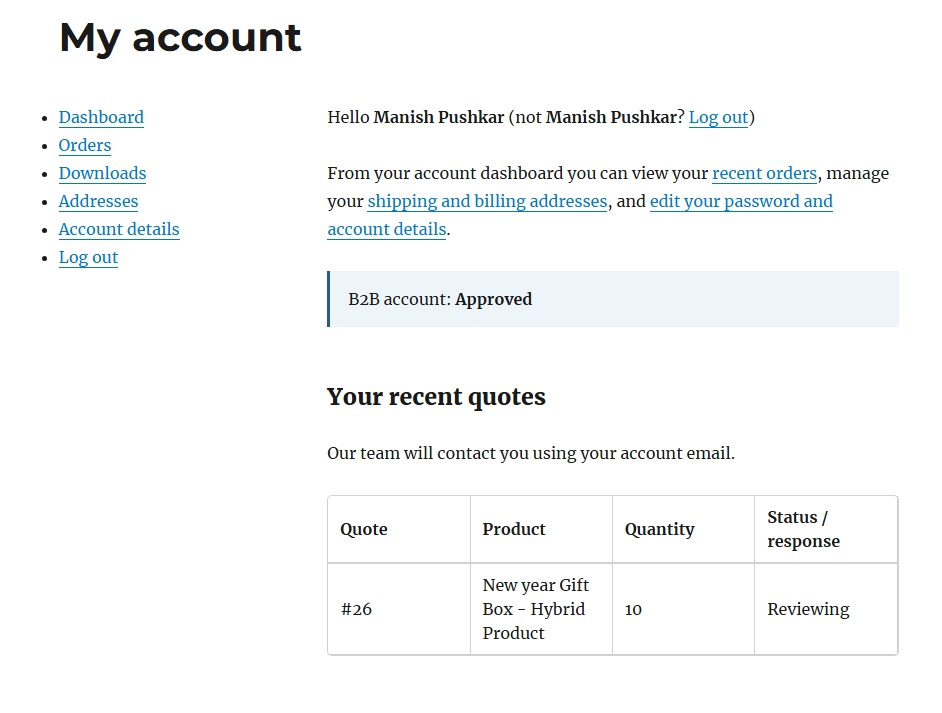
Store administrators can review and approve B2B accounts before granting trade benefits. Pending and rejected accounts do not receive approved B2B access. Automatic approval can also be enabled when manual review is unnecessary.
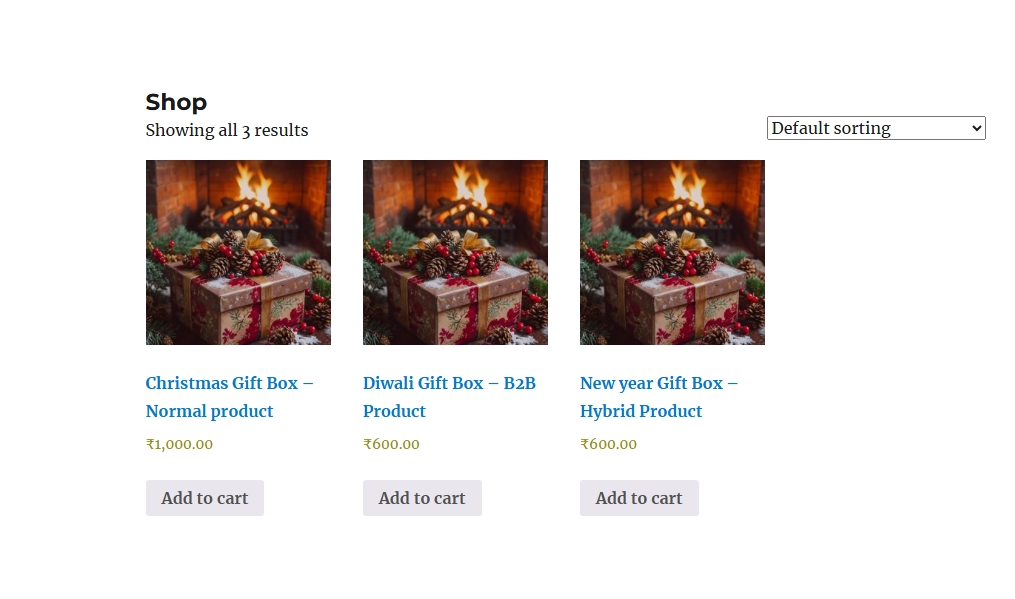
Customers continue using the familiar WooCommerce account and checkout experience.
Different prices for different buyers
Set a retail price, a B2B price or a negotiated price for an individual customer.
For example, the same product could cost ₹1,000 for retail customers, ₹800 for approved business buyers and ₹750 for a specific customer.
Pricing follows this priority:
- Customer-specific price.
- Retail or B2B price override.
- Standard WooCommerce price.
Leave an override blank to inherit the normal price. Simple products and product variations are supported, with variations able to inherit parent settings or use their own overrides.
Minimum and maximum order quantities
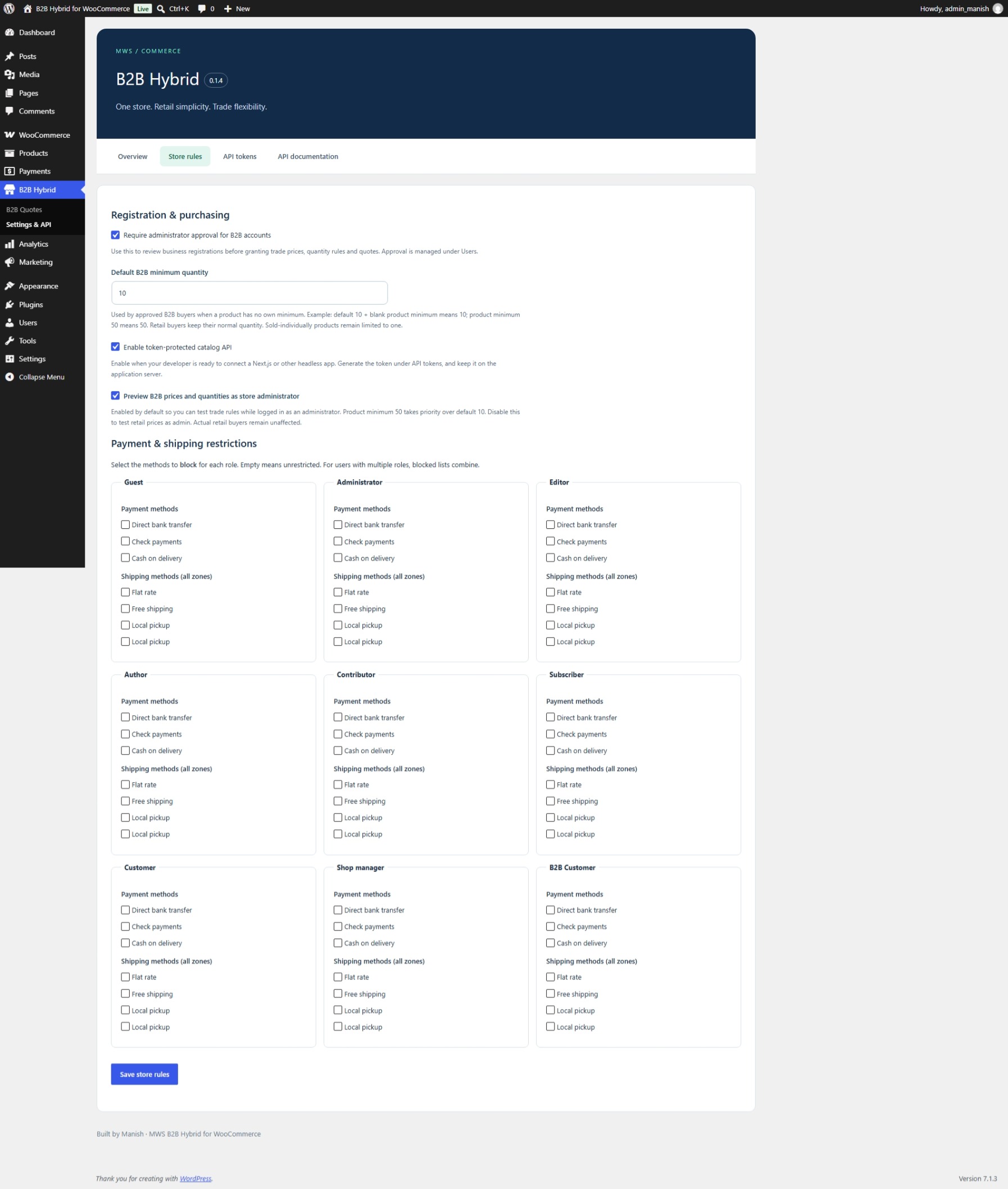
Set a store-wide B2B minimum quantity, then override it for individual products or variations.
For example, a store default of 10 applies when the product minimum is blank. If a product has its own minimum of 50, that product requires at least 50 units.
Maximum quantities are optional. Leave the maximum blank or enter zero for no additional B2B maximum, subject to stock and WooCommerce restrictions.
Rules are checked when adding products and updating or validating the cart. Matching cart lines are combined for quantity checks. Retail customers retain their normal quantity behaviour, and sold-individually products remain limited to one.
Administrators can enable B2B preview to test trade prices and quantities while logged in.
Custom quotation requests
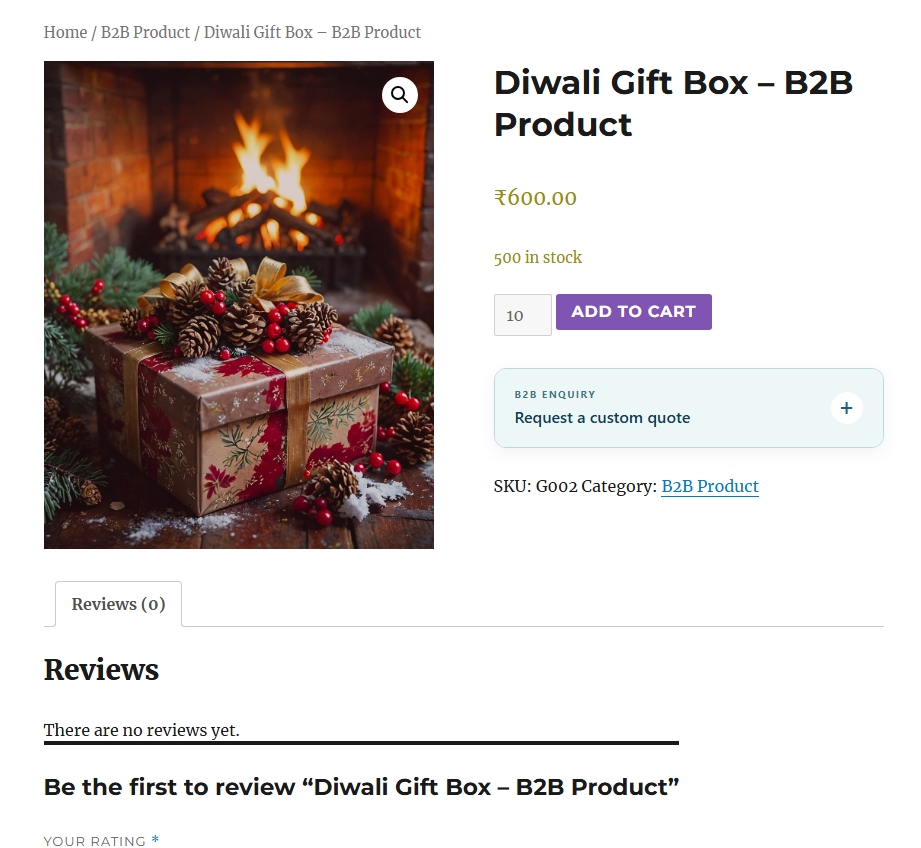
Approved B2B customers can request a custom quote directly from a product page. They enter the required quantity, select a variation when applicable and describe their requirements.
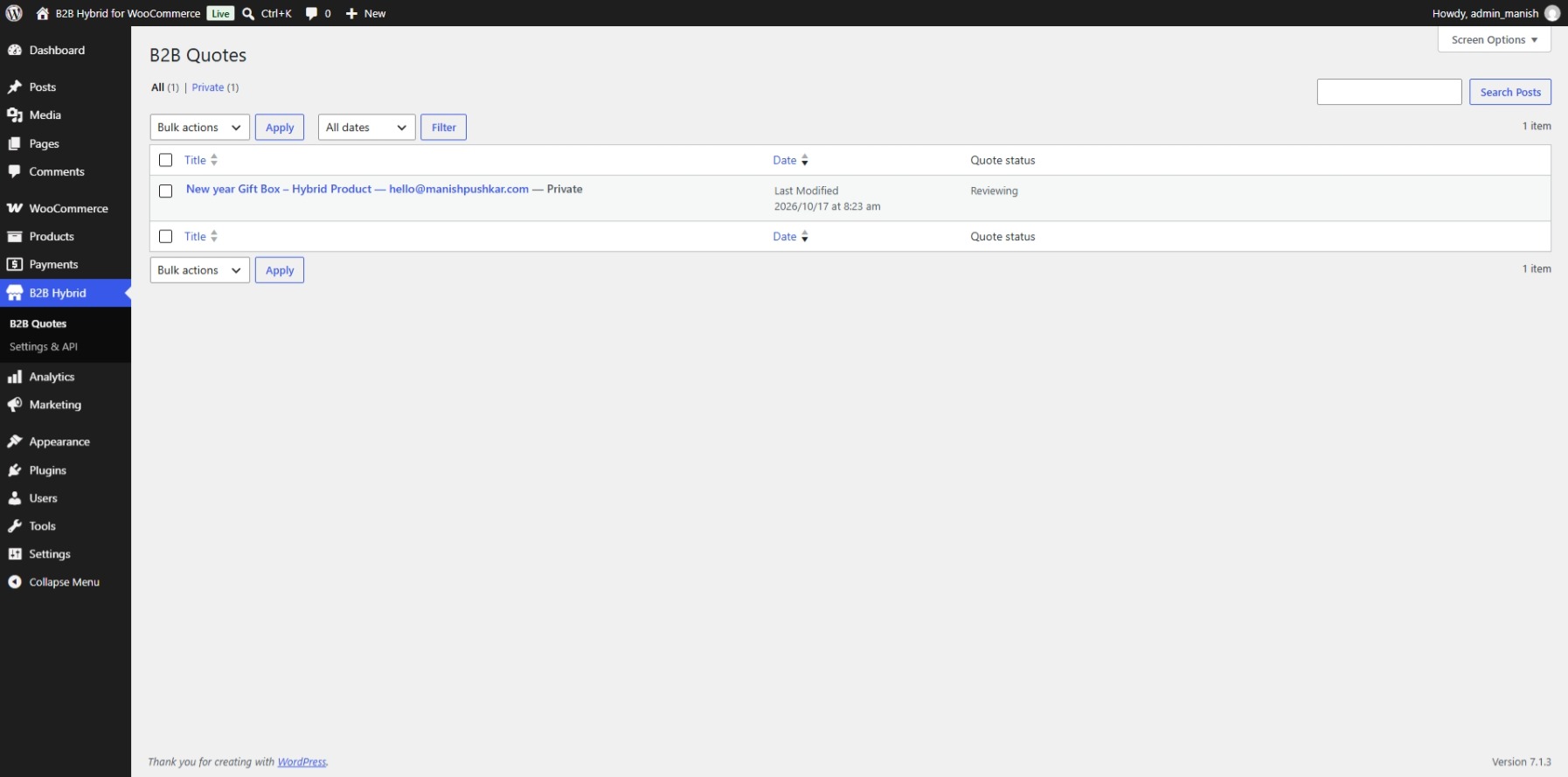
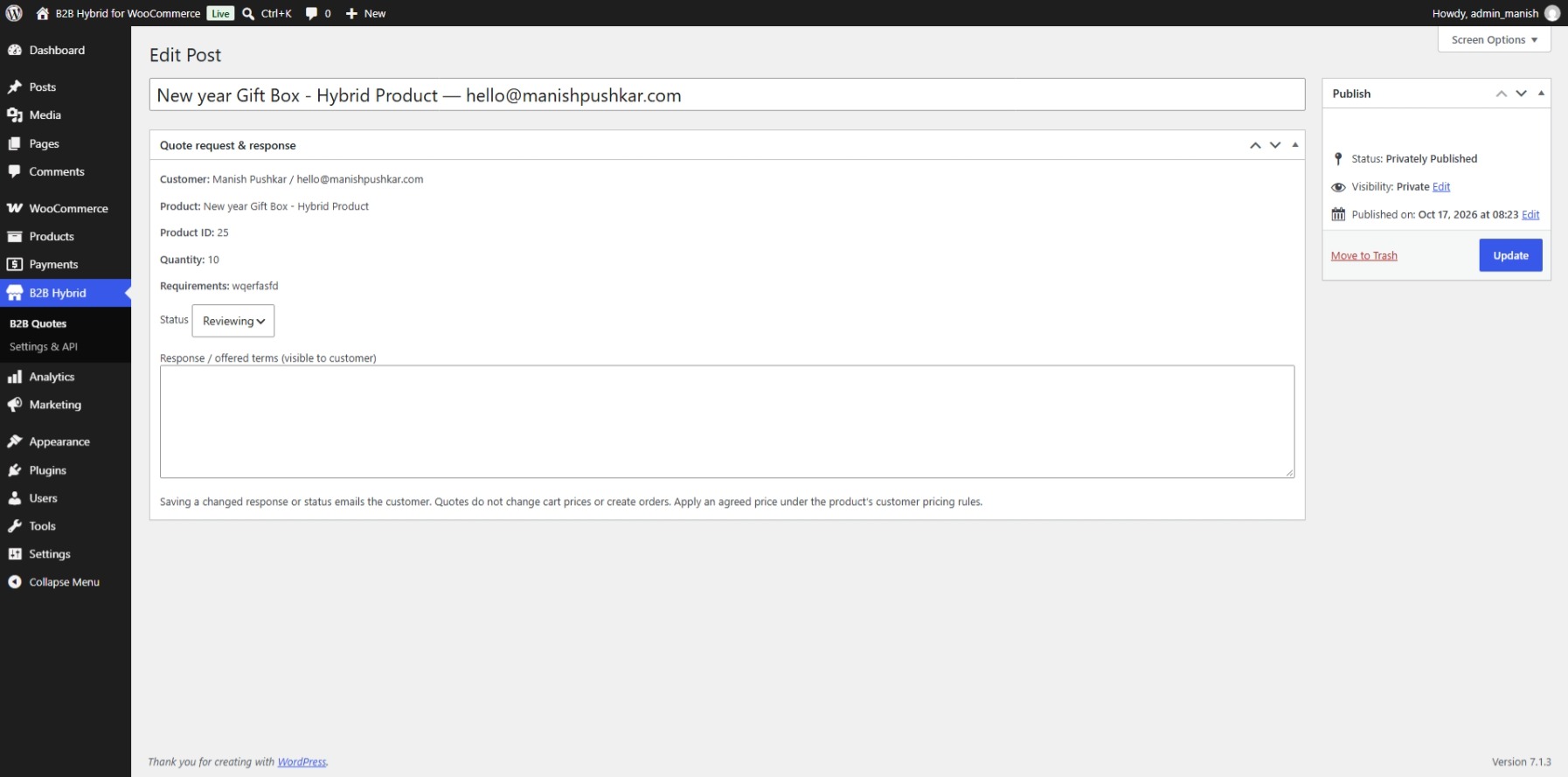
Requests are stored privately in the WordPress dashboard. Staff can review them, update their status and provide a response. Customers can follow their recent requests and responses through My Account, with email notifications sent through the website’s email system.
After submission, the product displays “Quote submitted” and hides the form for that customer. Duplicate requests for the same parent product are blocked, including across its variations.
Quotes support negotiation outside normal purchasing quantities. Accepting a quote does not automatically create an order or change the cart price; staff can apply the agreed customer price in the product settings.
Product visibility controls
Choose whether a product is available to everyone, approved B2B buyers or retail customers and guests.
Access can be narrowed further using allowed user roles and specific customer IDs. These conditions work together: a buyer must satisfy every configured restriction.
Leaving the roles and customer ID lists empty removes those additional restrictions. This makes it possible to maintain a public catalog alongside trade-only or customer-reserved products.
Shipping, payments and tax exemptions
Block selected payment and shipping methods by user role. For example, a business can restrict cash on delivery for trade accounts or reserve particular shipping options for certain customer groups.
Shipping-method restrictions apply across shipping zones. When a user has multiple roles, their blocked-method lists combine.
Administrators can also grant tax exemption to individual customers after confirming their eligibility.
Developer API for headless catalogs
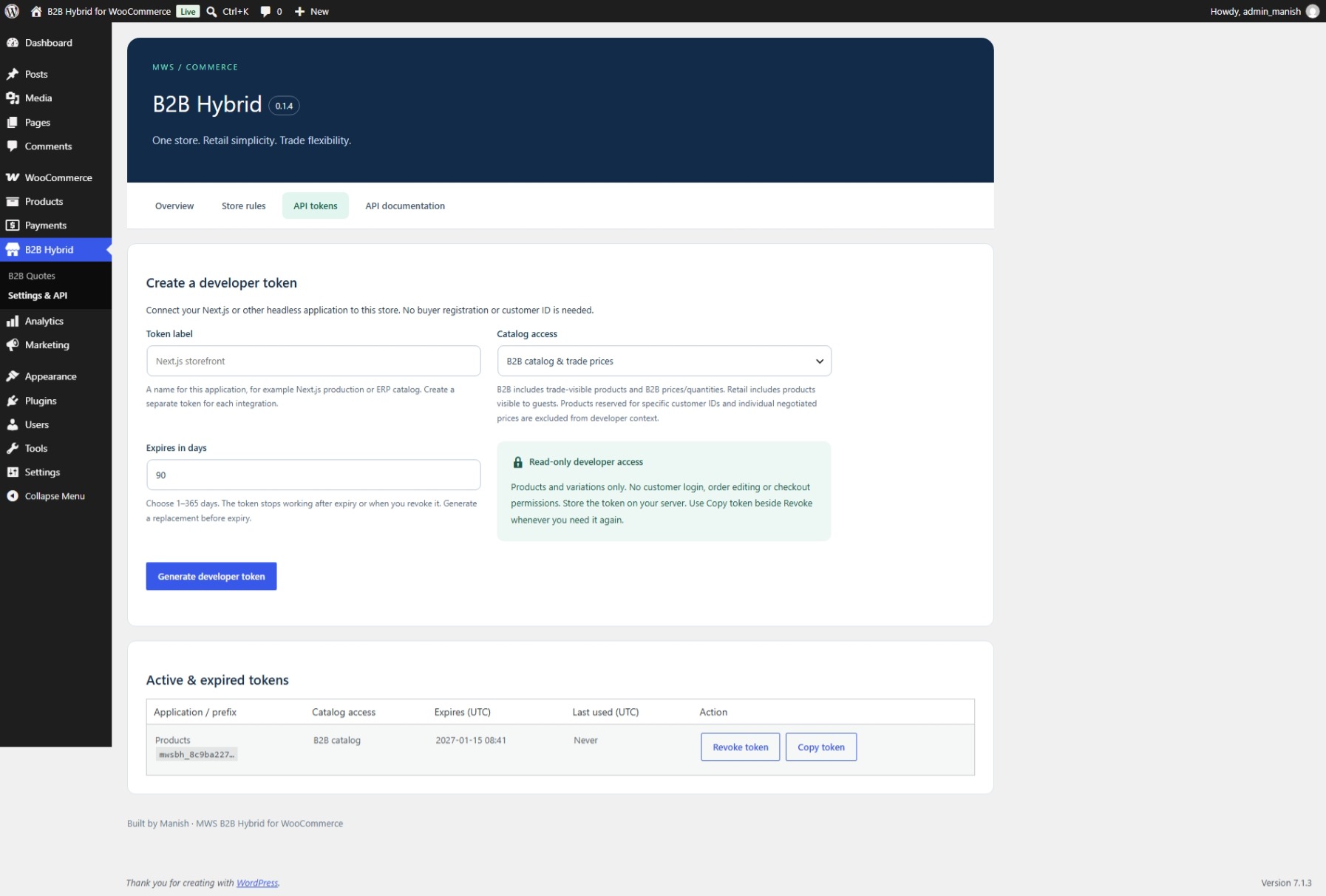
Generate developer tokens without creating a B2B customer account or entering a customer ID. Each token can access either the retail catalog or the B2B catalog.
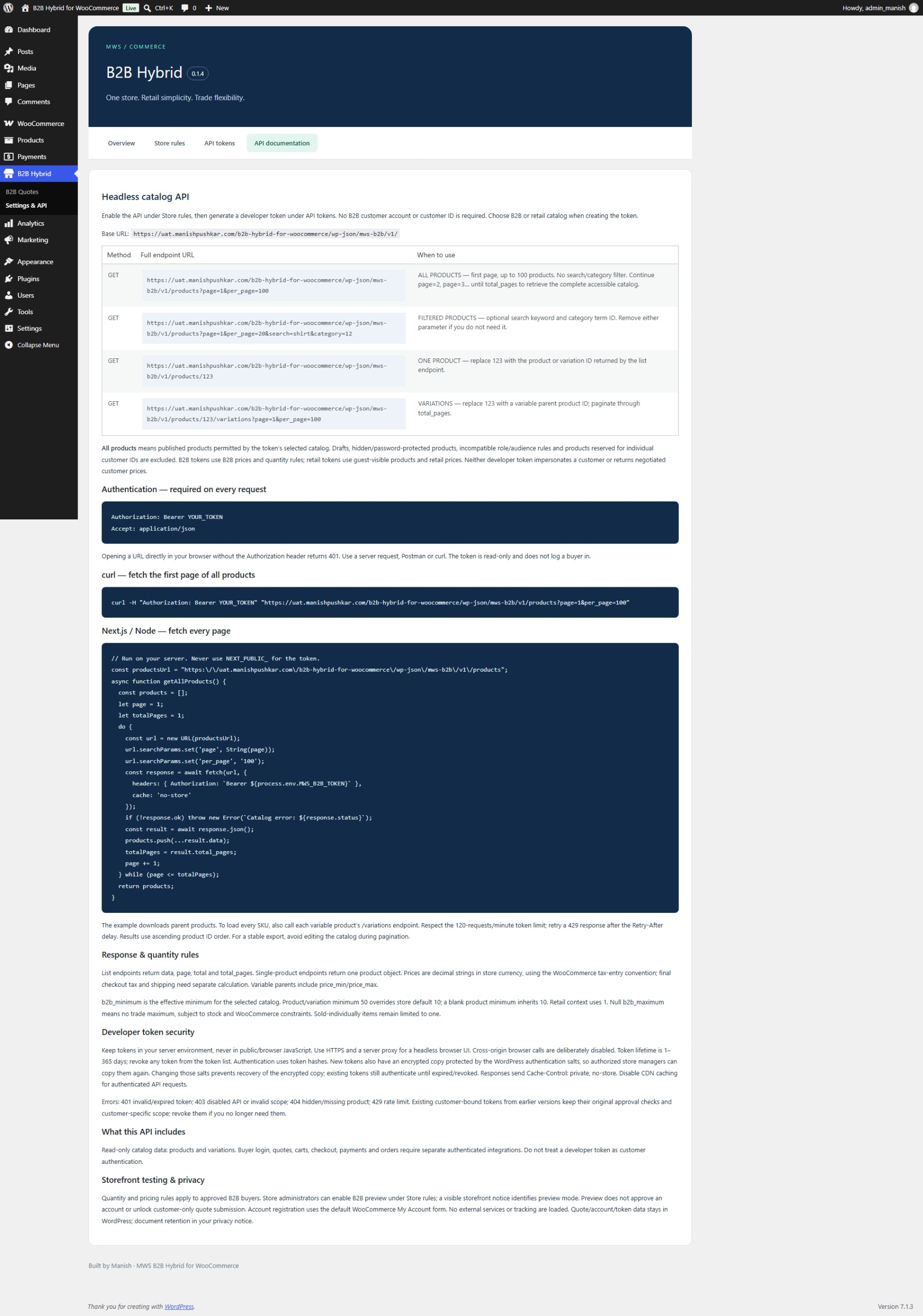
Developers can retrieve product lists, individual products and variations, including prices, images, attributes, stock information and applicable quantity rules. Search, category filtering and pagination are supported. Documentation inside the plugin includes full store-specific endpoint URLs and an example for fetching every product page.
Tokens expire, can be revoked and can be copied again by authorized store managers. Recoverable tokens are stored encrypted.
Developer tokens do not impersonate individual buyers. Customer-reserved products and personally negotiated prices are excluded from their catalog context.
What headless support includes
The API provides read-only product catalog access. Customer authentication, carts, quotation submission, checkout, payments and orders require separate integrations. Tokens should remain on the application server rather than in public browser JavaScript.
Using the plugin
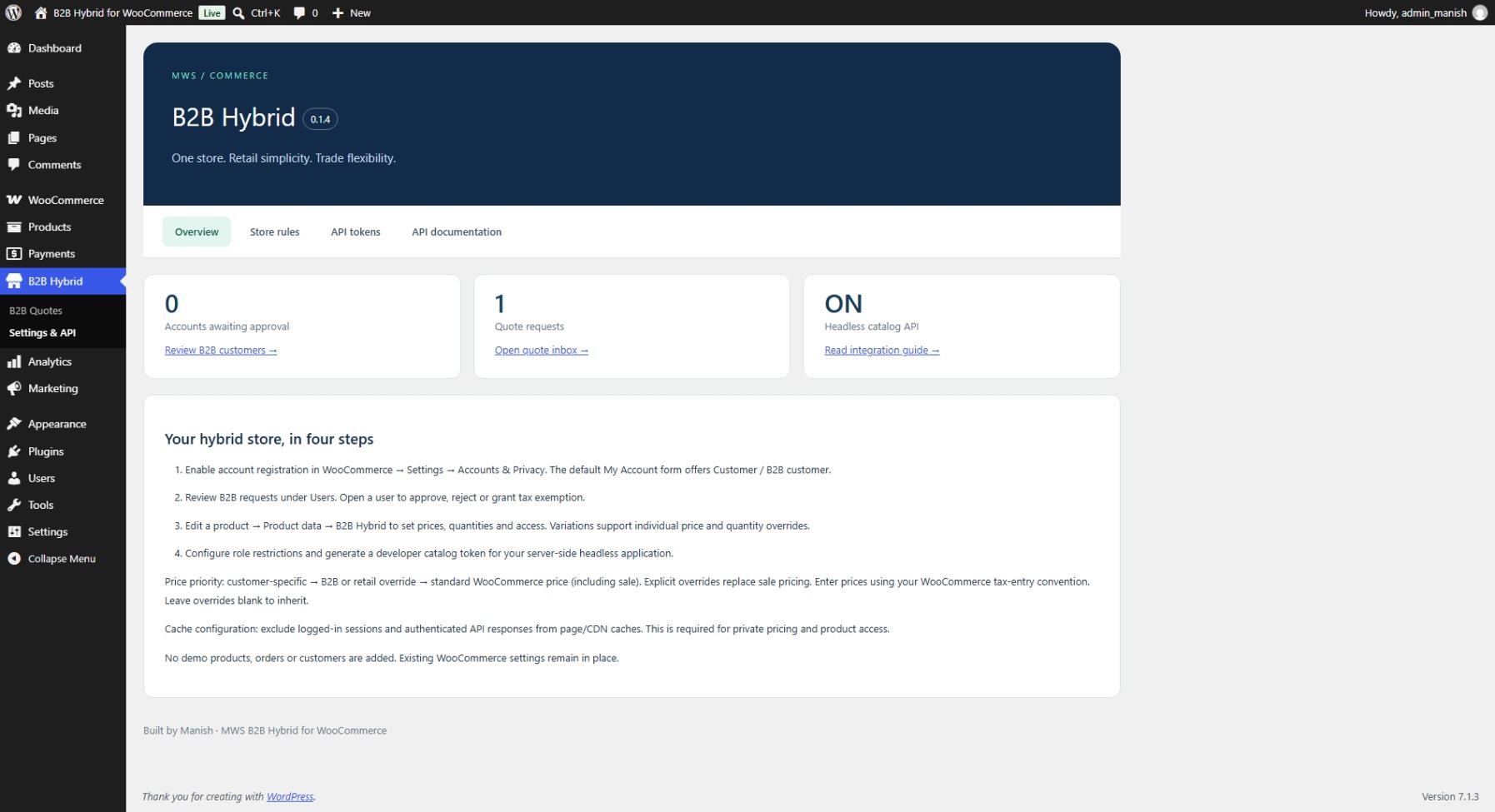
Install it alongside WooCommerce, enable My Account registration and configure the store rules. Approve business accounts, add product pricing and quantity rules, and set any visibility or method restrictions.
For a headless application, enable the catalog API, generate a developer token and follow the documentation under plugin settings.
The plugin loads no external tracking services or CDN assets. Business records remain in WordPress. Classic cart and checkout are recommended; test your theme and other checkout, tax and caching extensions before rollout.
Admin Screens
B2B Customer Screens

Customer Screens